
An AR viewer is the app or web page that opens an augmented reality experience and shows it through your camera. Browser-based AR viewers load from a link or QR code, ask for camera access (and location for place-based pieces), then set the digital content into your surroundings with nothing to install.
Also known as: browser AR viewer, AR viewing app, AR camera, AR Quick Look (Apple)

My Genie by Dr. Sian Proctor, placed on Cape Town's waterfront

Camera, location and motion, then the phone's own prompt

My Genie appears through the camera
From the visitor walkthrough of Dr. Sian Proctor's EarthLight AR gallery, 2024.
How it works
The viewer downloads the scene, starts the camera and runs tracking (surface, image, face or location) so the content stays put as you move. Many viewers add a map, short instructions or a tap-to-place step.
How it works in illust
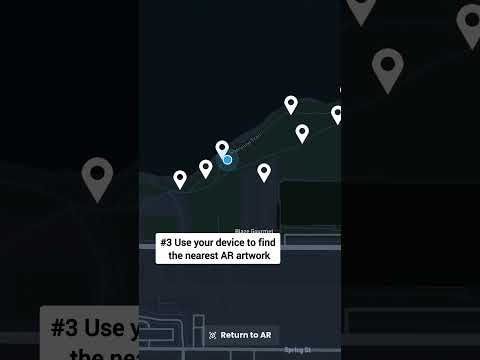
illust's viewer lives at ar.illust.space. It opens in camera view with a small map in the top-right corner that guides you toward nearby placements. Viewing is free and needs no studio license.
Key facts
- You don't need a studio license to view illust AR experiences (illust FAQ).
- illust's simple AR preview opens in three steps: scan the QR code or tap the link, accept the terms of service, then allow camera and motion (illust Studio docs: AR viewers).
- The spatial AR preview also asks for location, checks whether you are inside the piece's geofence, and shows a compass pointing to it until you are (illust Studio docs: AR viewers).
- The distance on screen is measured to the center of the geofence, so a piece with a wide radius can open before you reach that point (illust Studio docs: AR viewers).
Watch
Related videos
FAQ
Why can't I see the AR?
Usually a permission is off. Allow camera and motion (plus location for place-based pieces), then fully close and reopen the browser. For location-based pieces, you may also need to walk closer.
Do I need an account to view AR on illust?
No. Anyone can view. A free account is only needed for things like check-ins or tracking progress.