
MP4 and MOV are video container formats: MP4 is the universal standard for the web, while MOV is Apple's QuickTime format, common for editing and for codecs like ProRes. Both can hold H.264 or HEVC video; for AR and web playback, an H.264 MP4 is the most compatible choice.
Also known as: MP4, MOV, H.264, HEVC, video codecs
How it works
Export at the resolution viewers will actually see (often 1080p or less for AR), use H.264 for compatibility, and keep bitrates moderate so files load quickly on mobile data. Use MOV when you need a codec MP4 can't carry, such as some alpha formats.
MP4 vs MOV at a glance
| MP4 | MOV | |
|---|---|---|
| Full name | MPEG-4 Part 14 | QuickTime File Format (Apple) |
| Built on | ISO Base Media File Format, itself largely based on QuickTime | QuickTime |
| Common video codecs | H.264, HEVC | H.264, HEVC, ProRes |
| Best for | Web playback, streaming and sharing | Editing and masters, especially on Apple devices |
| On illust | Accepted, up to 30MB | Accepted, up to 30MB |
How it works in illust
illust accepts .mp4 and .mov video. Uploads can be up to 30MB, but the studio docs recommend keeping AR files under 15MB, and no more than 20MB, so they load on a weak phone signal. For longer or larger videos, use the streaming video texture, which streams the video through illust's Mux integration instead of loading it all at once. At BF X PEACE in New York, artists' video works played in AR this way, from Bryant Park to Tompkins Square Park.
Explore AR StudioSee it in action: BF X PEACE and other Balanced Forces exhibitions →
Key facts
- MP4 is a subtype of the ISO Base Media File Format, which was largely based on Apple's QuickTime format, so the two containers are close relatives (Library of Congress: MP4; Library of Congress: ISO BMFF).
- H.264 video in an MP4 plays in every major browser; HEVC support depends on the device's hardware and operating system (MDN Web Docs).
- For transparent video, Safari plays HEVC with alpha, while Chrome and Firefox use VP8 or VP9 with alpha in WebM, which Safari doesn't support, so sites usually provide both (Apple WWDC19; Chrome for Developers).
- illust's studio takes .mp4 and .mov uploads up to 30MB and recommends AR files of 15MB or less (illust Studio docs).
- The phone's screen recording of the clip above was a 43MB HEVC MP4 at 60 frames per second. Cropped to the AR view and re-encoded as a 720-pixel-wide H.264 MP4 at 30 frames per second, it is 4.2MB (illust).
Watch
FAQ
Which should I upload to illust?
An H.264 MP4 under 30MB for most pieces; MOV if your workflow needs it.
How do I shrink a video?
Lower the resolution to what a phone shows, shorten or loop it, and reduce the bitrate.
How do I put a long or large video into AR on illust?
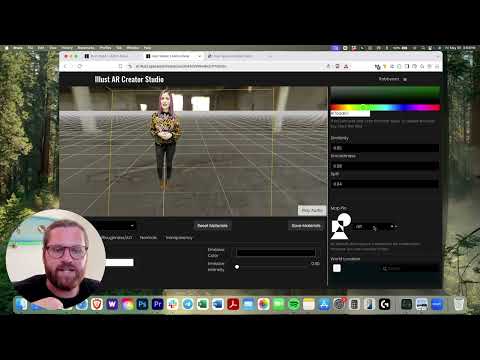
Use the streaming video texture. In the AR Studio, choose Streaming Texture as the content, and the video streams through illust's Mux integration instead of loading all at once. If the clip was shot on a green screen, you can key out the background to make it a hologram.
Is MOV better quality than MP4?
Not by itself. Both are containers, so quality comes from the codec and bitrate inside. An H.264 MOV and an H.264 MP4 at the same settings look the same; MOV matters when you need a codec like ProRes for editing.